
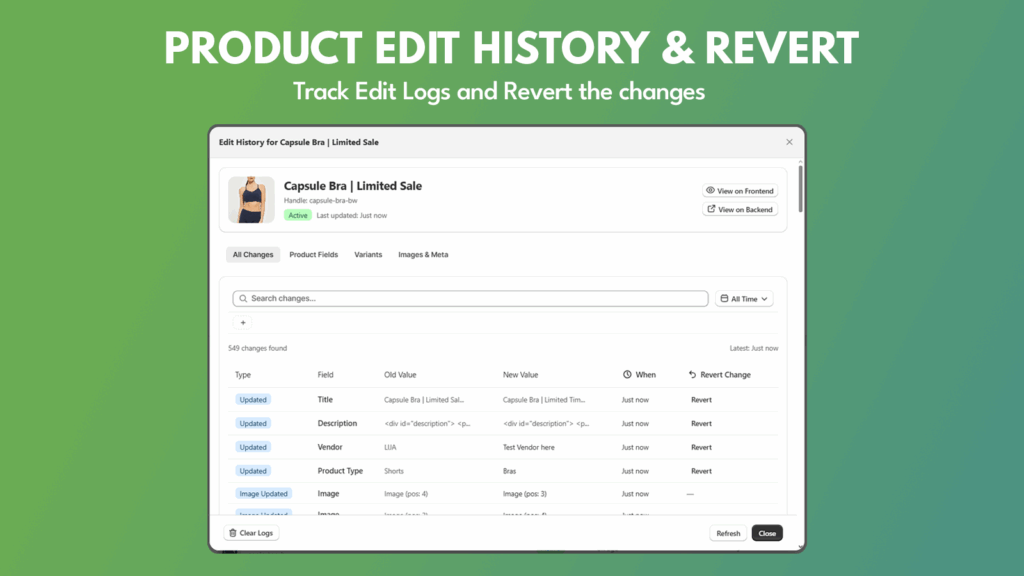
Maintaining a complete Shopify Product Edit History is the only way to ensure your store’s data integrity as you scale. As you integrate more third-party apps and automation tools, the risk of a “catalog catastrophe” increases. Loggr provides the granular version control and “undo” functionality that Shopify lacks natively.
Loggr solves this problem by acting as your Shopify “time machine” for product data.
Executive Summary: Why Track Shopify Product Changes?
For high-volume merchants, having a timestamped record of every modification is about operational security and revenue protection.
- Prevent Revenue Loss: Catch accidental price drops by reviewing your Shopify Product Edit History regularly.
- Audit Automated Apps: Identify exactly when an integrated app or bulk-editor made a specific modification to your catalog.
- Instant Recovery: Eliminate hours of manual data entry by using a one-click revert system based on historical logs.
Understanding the Limitations of Shopify’s Default Activity Log
While Shopify offers a basic activity log, it is often too vague for complex troubleshooting. It may show a product was “updated,” but it won’t show the exact “before and after” values for metafields or specific variant tags. Loggr fills this gap by providing a granular, real-time Shopify Product Edit History that captures the technical details merchants actually need.
Why Data Integrity Matters for Scaling Stores
As a store grows, your product data becomes your most valuable asset. A single corrupted SEO title or a deleted product tag can break your front-end filters and hide products from customers. By maintaining a constant Shopify Product Edit History, you aren’t just logging data; you are creating a safety net. This allows you to experiment with new bulk-editing tools or automation apps with the confidence that you can always “go back in time” if something breaks.
Key Features of Loggr: More Than Just a Log
Loggr is engineered to be a proactive tool rather than a passive record.
1. Granular Change Tracking
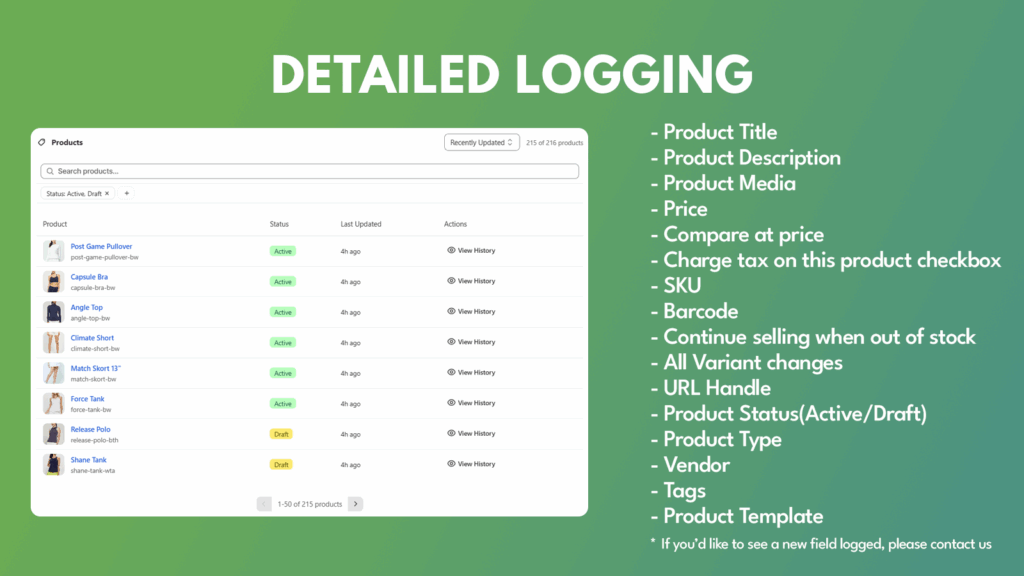
Loggr monitors every attribute, including titles, prices, SKUs, and inventory levels. Every entry in your Shopify Product Edit History provides a side-by-side comparison, highlighting exactly what was added, removed, or changed.
2. The “Undo” Button for Shopify
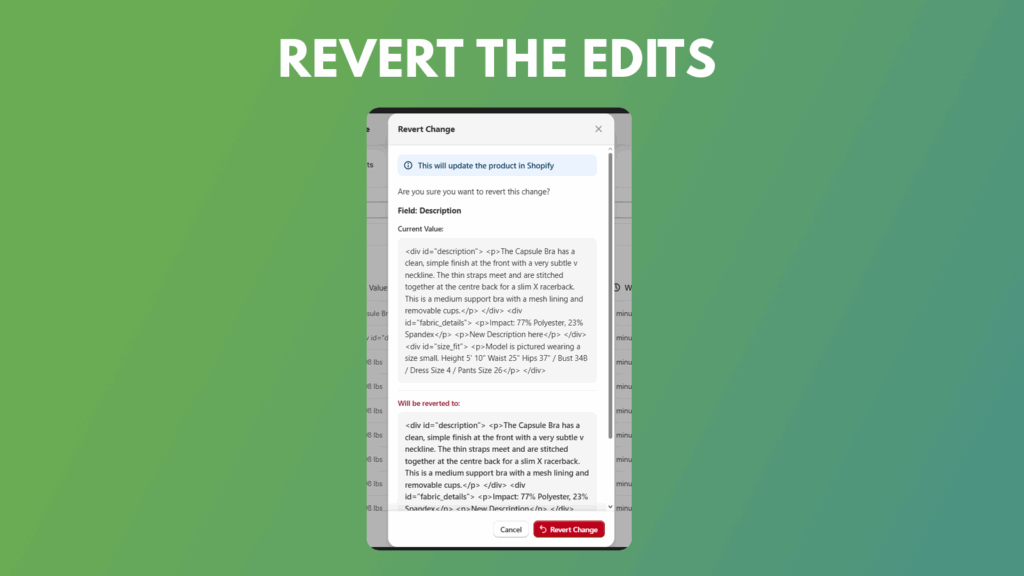
The standout feature is the Instant Revert. If a bulk edit goes wrong or a theme update messes up your descriptions, you can browse your Shopify Product Edit History and roll back to any previous version with a single click.
3. Advanced Filtering & Search
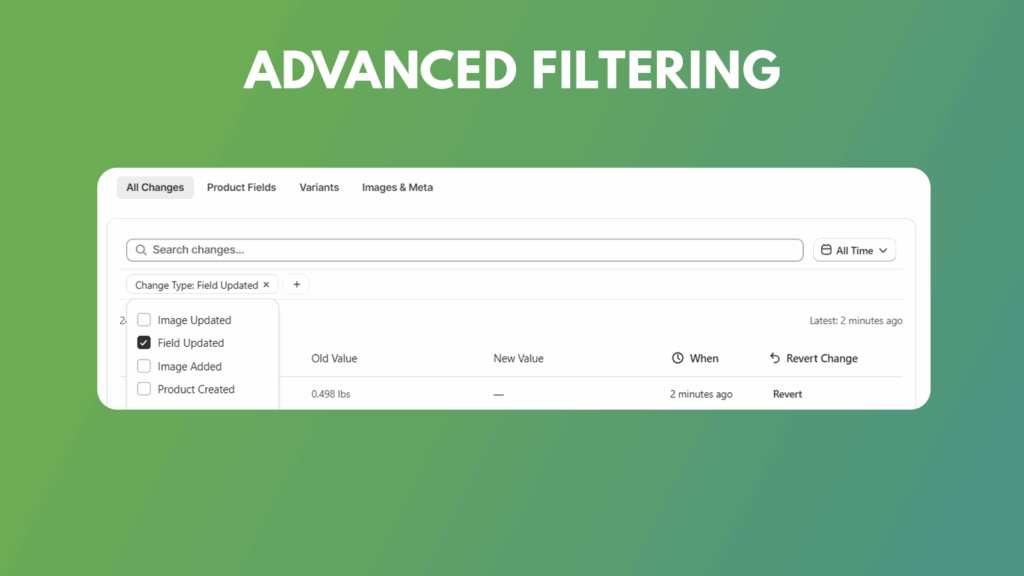
Stop scrolling through endless pages of updates. You can filter your Shopify Product Edit History by date, product type, or specific attributes to find the exact event you need in seconds.
Real-World Recovery Scenarios
The “App Conflict” Crisis
Many merchants use third-party apps for bulk SEO updates or automated price syncing. We’ve seen cases where a misconfigured app overwrites 1,000+ product descriptions with broken HTML or “test data.” Without a Shopify Product Edit History, you would spend days manually restoring this data from backups. With Loggr, you simply find the log entry from before the app sync and hit “Revert.”
The “Bulk Edit” Blunder
Bulk editing is a time-saver until you accidentally apply a “Sale” tag to your entire catalog instead of just one collection. These mistakes can break your smart collections and site navigation. Your Shopify Product Edit History acts as a permanent undo-buffer, allowing you to see exactly when the bulk edit occurred and reversing the damage across your entire inventory instantly.
Conclusion: Take Control of Your Store Data
Data errors are inevitable, but they don’t have to be permanent. By keeping a detailed Shopify Product Edit History, you protect your brand’s reputation and your bottom line. Stop wondering what happened to your data and start controlling it. The top-rated Shopify App for product history, check it out below:
Get the App now!


